QR ordering does not replace your servers; it frees them for hospitality. The waiter app shows tables by status with a waitlist strip, and a table sheet to seat walk-ins, approve and advance rounds, add rounds from the menu and close the table.
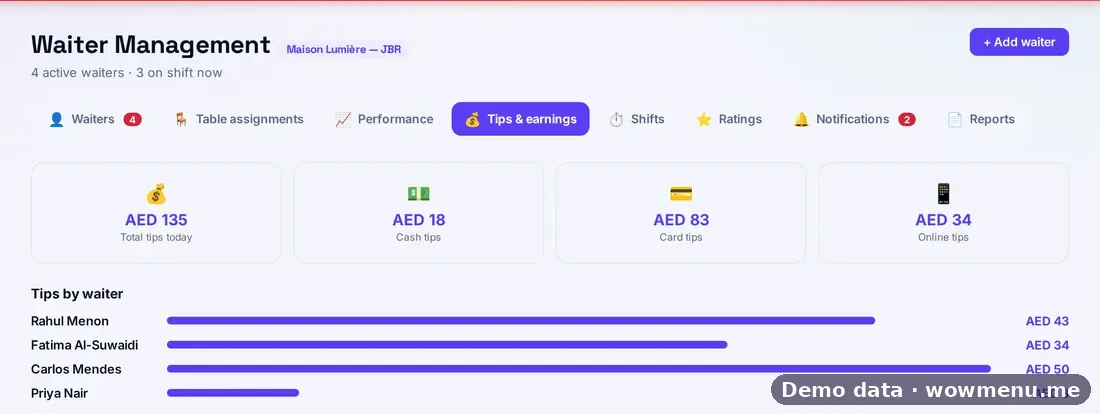
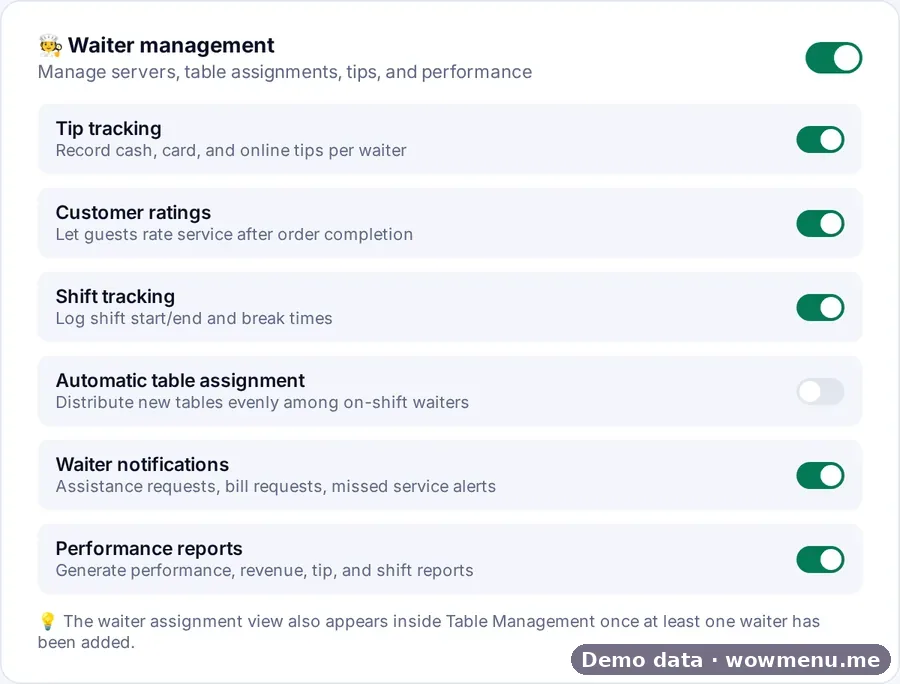
At the table, waiters see a read-only guest profile with tier, points, allergies and preferences. Guest requests resolve in one tap, and bills, receipts, tips and split payments are recorded. In the Owner Portal you manage the roster, table assignment (one waiter per table, with auto-assign), performance, tips, shifts and ratings.
The screens on this page come from the Owner Portal, where the waiter app is set up and measured.
What the floor team works from
Waiters work from their own app, set up and measured from the Owner Portal. The screens here are from the Owner Portal; the waiter app's own screens are described below.
Every table by status, a waitlist strip, and a table sheet to seat walk-ins, approve and advance rounds, add rounds from the menu and close the table.
A read-only guest profile at the table, with tier, points, allergies and preferences.
Guest requests resolve in one tap. Bills and receipts go from the app, with payment, tips and split payments recorded.
A guest asks, and the floor sees it
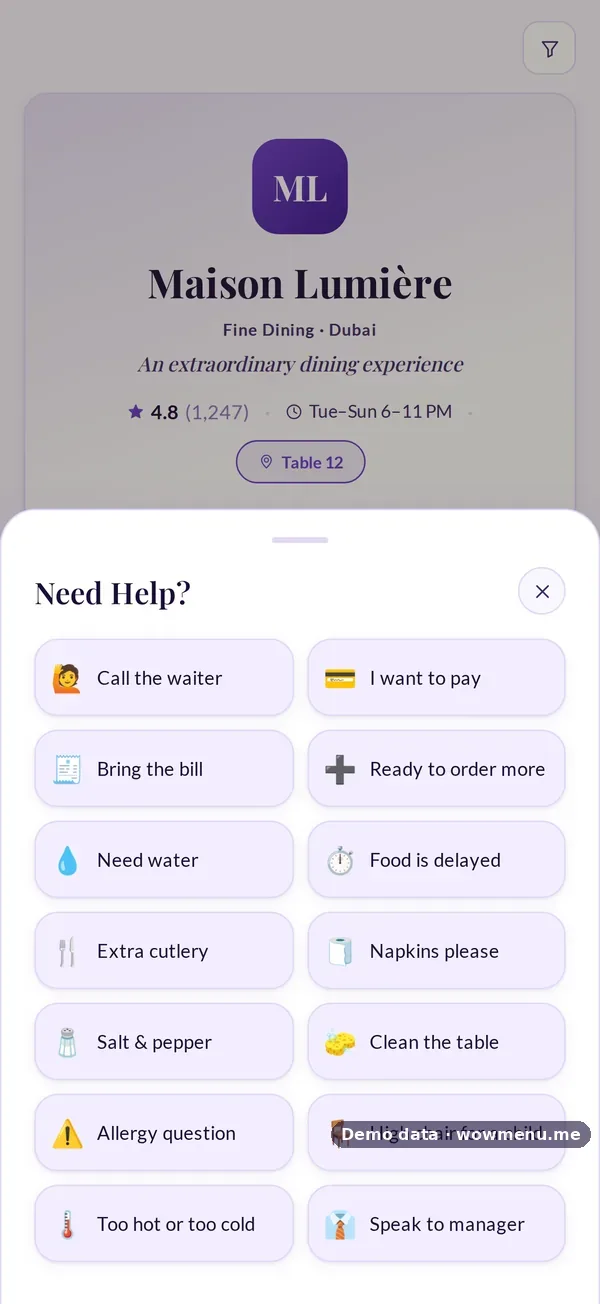
One-tap requests from the QR menu appear in the call bar on every portal screen and in the waiter app.

Key benefits
What Waiter App & Floor Management does for your restaurant
Tables and rounds
Seat walk-ins, approve and advance rounds, add rounds from the menu and close the table.
The guest at the table
Tier, points, allergies and preferences, read-only.
Tips and performance
Cash, card and online tips per waiter, shifts, ratings and reports.
How it works
Add your waiters
Build the roster in Waiter management.
Assign tables
One waiter per table, or auto-assign.
Run the service
Waiters work tables, rounds, requests and bills from the app.
Review the shift
Performance, tips, shifts and ratings in the Owner Portal.
Frequently asked
Does QR ordering replace waiters?
No. Waiters still run the floor, and their orders land on the same kitchen board as guest orders.
Can waiters see guest allergies?
Yes. The read-only guest profile shows tier, points, allergies and preferences.
How are tips tracked?
Cash, card and online tips are recorded per waiter.
Can tables be assigned automatically?
Yes. Switch on automatic table assignment to spread new tables across waiters on shift.