Taking reservations by phone or a paper diary does not scale past a handful of tables, and generic booking widgets often do not understand your actual floor plan. WowMenu reservations run in the same system as your menu, guests and kitchen, so a booking is checked against your real table data.
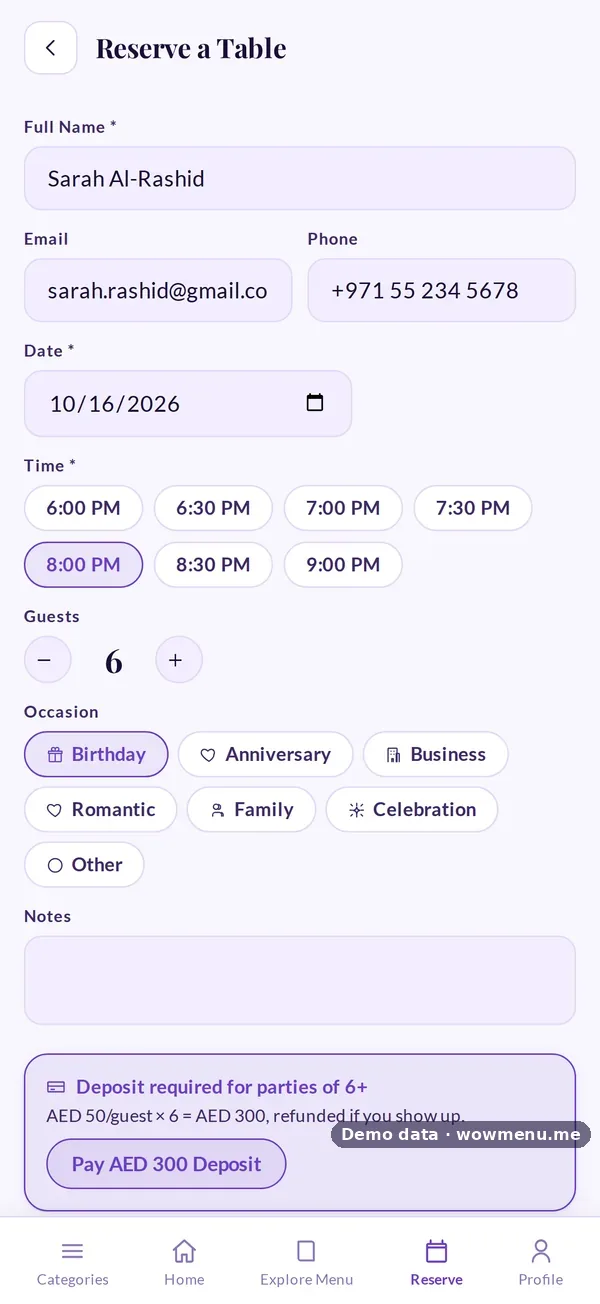
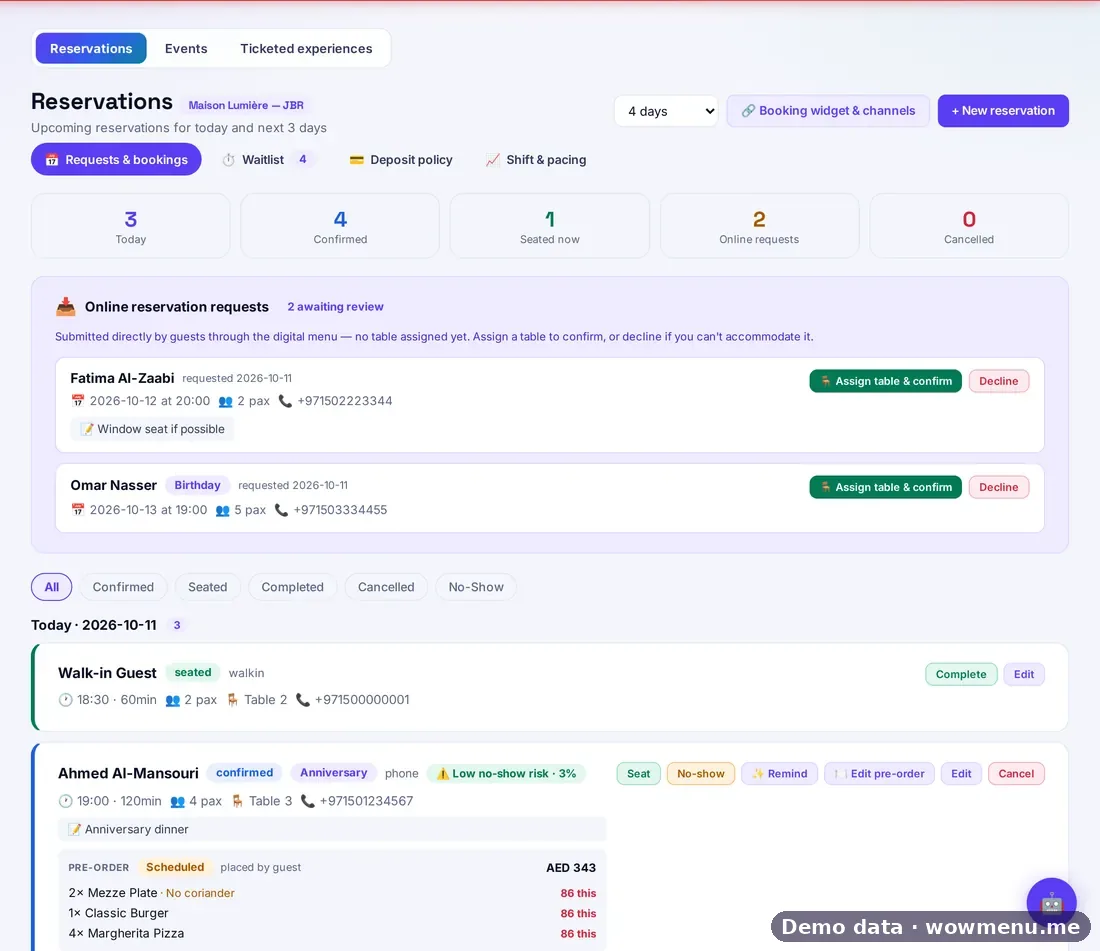
Guests book through a guided online flow: party size, date, time, occasion and notes. Requests land in a queue and you assign a table to confirm, with real conflict checking for party size, maintenance and overlaps. A waitlist handles walk-ins with a quoted wait and a "your table is ready" notification, and the dashboard can be set to show 1, 2, 4, 7 or 14 days.
Deposit rules can be set by party size or time: a card hold, a fixed deposit or full prepayment. Pacing rules (covers per 15-minute slot, lead time and turn time) keep the booking widget from promising more than the room can deliver. A no-show risk score shows its working, using guest history, party size, late slots and booking channel. You can embed the booking widget on your own website and sell paid add-ons such as a birthday set-up.
Reservations and table management are included on the Suite plan.
How it connects
What the owner sets up or sees in the portal, and what the guest sees in the QR menu. Screens are from the demo restaurant, Maison Lumière, with demo data.
The guest requests a booking, and it lands in the owner queue
The guest books through a guided flow, with a deposit for larger parties. The request arrives in the portal queue, where the owner assigns a table to confirm.

Key benefits
What Restaurant Reservation System does for your restaurant
A request queue with conflict checking
Requests land in a queue and you assign a table to confirm. The system checks party size, maintenance and overlaps before a booking is confirmed.
Waitlist for walk-ins
Quote a wait, and the guest gets a notification when their table is ready.
Deposits and pacing rules
Set a card hold, fixed deposit or full prepayment by party size or time, and cap covers per 15-minute slot so the widget never overpromises.
A no-show risk score that shows its working
A rule-based score built from guest history, party size, late slots and booking channel, visible to your whole team.
How it works
A guest requests a booking
Through the guided online flow or your embedded booking widget: party size, date, time, occasion and notes.
The request joins the queue
Your team sees it with the guest's history and a no-show risk score, and assigns a table. Conflict checking covers party size, maintenance and overlaps.
Deposit and add-ons
If a deposit rule applies, the guest completes it at booking. Paid add-ons, such as a birthday set-up, can be included.
Seat, wait or release
Walk-ins go on the waitlist with a quoted wait. Pre-orders attached to a booking become Round 1 when the party is seated.
Frequently asked
Can guests book themselves, or is this host-only?
Both. Guests request a booking through a guided flow or your embedded widget, and your team can create and manage reservations from the Owner Portal, including phone and walk-in requests.
How does conflict checking work?
When you assign a table to a request, the system checks party size, table maintenance and overlapping bookings, using your real table data.
How long can the dashboard look ahead?
You choose the range: 1, 2, 4, 7 or 14 days.
How do deposits work?
Deposit rules can be set by party size or time. Options are a card hold, a fixed deposit or full prepayment.
Is the no-show risk score an AI prediction?
No. It is a transparent, rule-based score that shows its working: guest history, party size, late slots and booking channel are all visible to your team.
Can I search a guest's previous visits while booking?
Yes. Searching by name or phone shows prior visits and notes from their guest profile, if Guest CRM is enabled.