Running restaurant promotions has traditionally meant guessing which offer will earn back the margin it gives up. WowMenu puts every offer in one place, Campaigns, so discounts do not leak into the menu where nobody measures them.
You can run eight campaign types: combo or bundle, buy-one-get-one, spend-and-get-free, straight discount, happy hour, loyalty points, birthday and anniversary, and challenges. Eight ready-made templates get you started, including a Ramadan iftar combo, Eid 20% off, a weekend brunch bundle, a first-visit welcome and an in-room dining special for hotels.
WowMenu also reads your orders and guests and suggests what to do next, with its reasoning. These are data-driven suggestions: each one shows the data behind it, the sample size and a confidence level, so you can judge it. Nothing goes live until you approve it.
Suggestions and the simulator are estimates built from your own data to support your decision. They are not guarantees of results. Examples shown on this site use demo data.
How it connects
What the owner sets up or sees in the portal, and what the guest sees in the QR menu. Screens are from the demo restaurant, Maison Lumière, with demo data.
Build an offer once, and guests meet it as they order
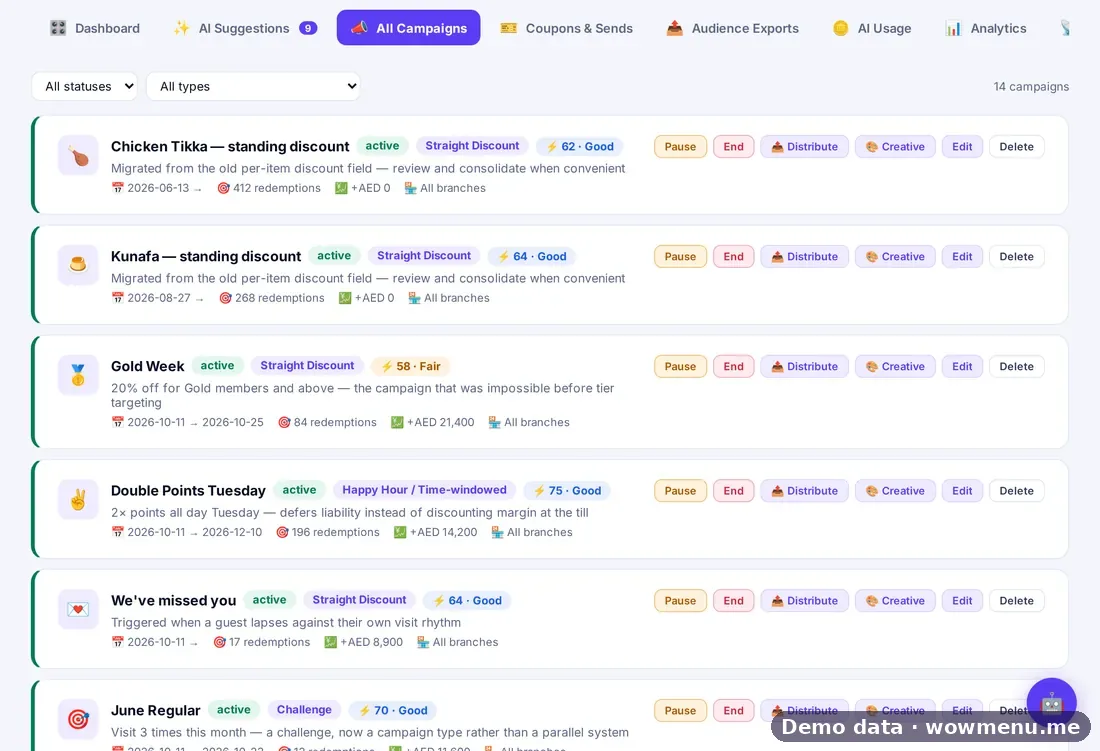
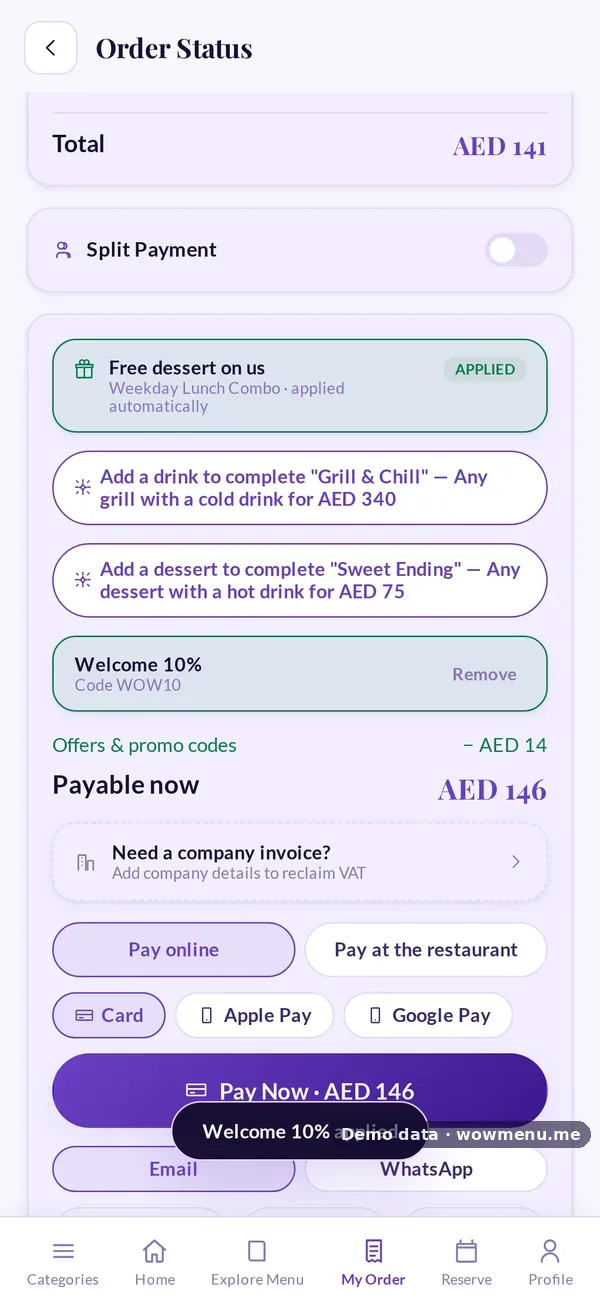
In Campaigns the owner picks one of eight campaign types, the offer, who it targets and the safeguards. Guests meet it as a slide-up while they order and as an automatic reward at payment.

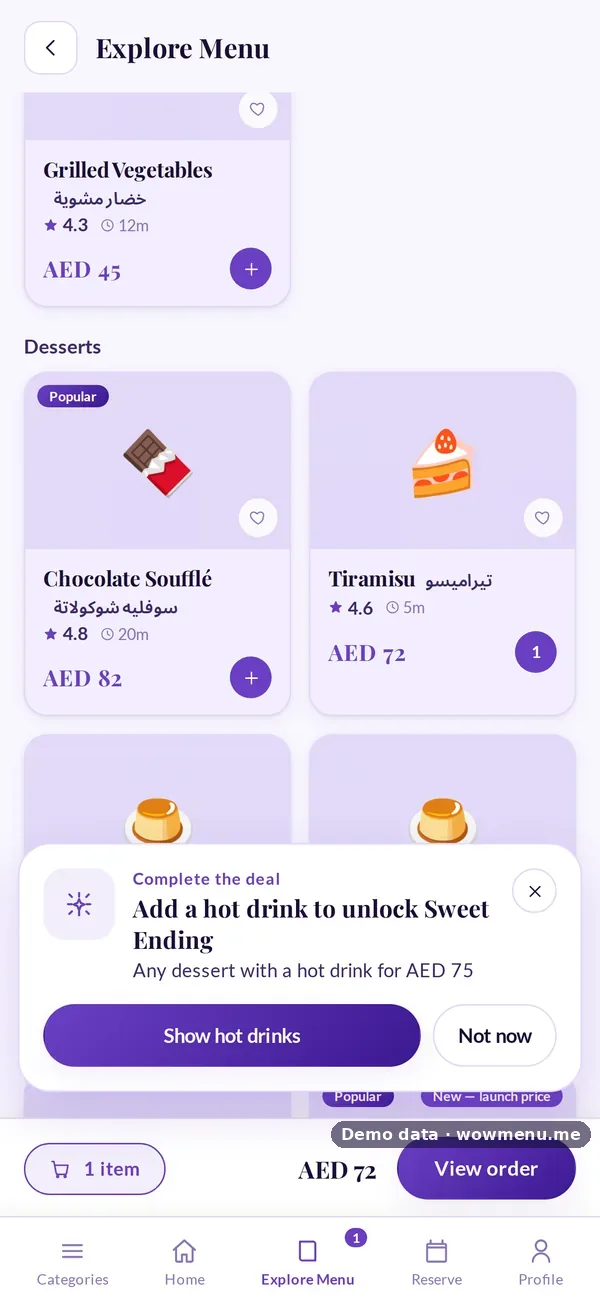

Spend-and-get offers show the guest how close they are
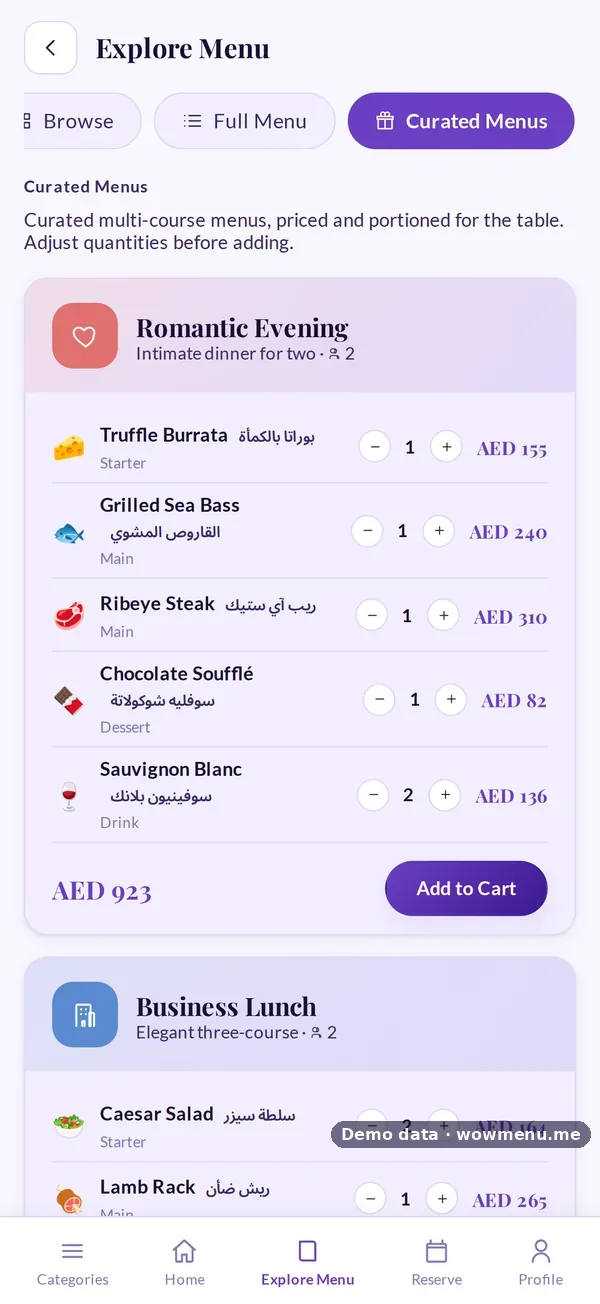
The owner sees which campaigns earn their keep. The guest sees the progress toward a reward, and curated set menus built from combo offers.
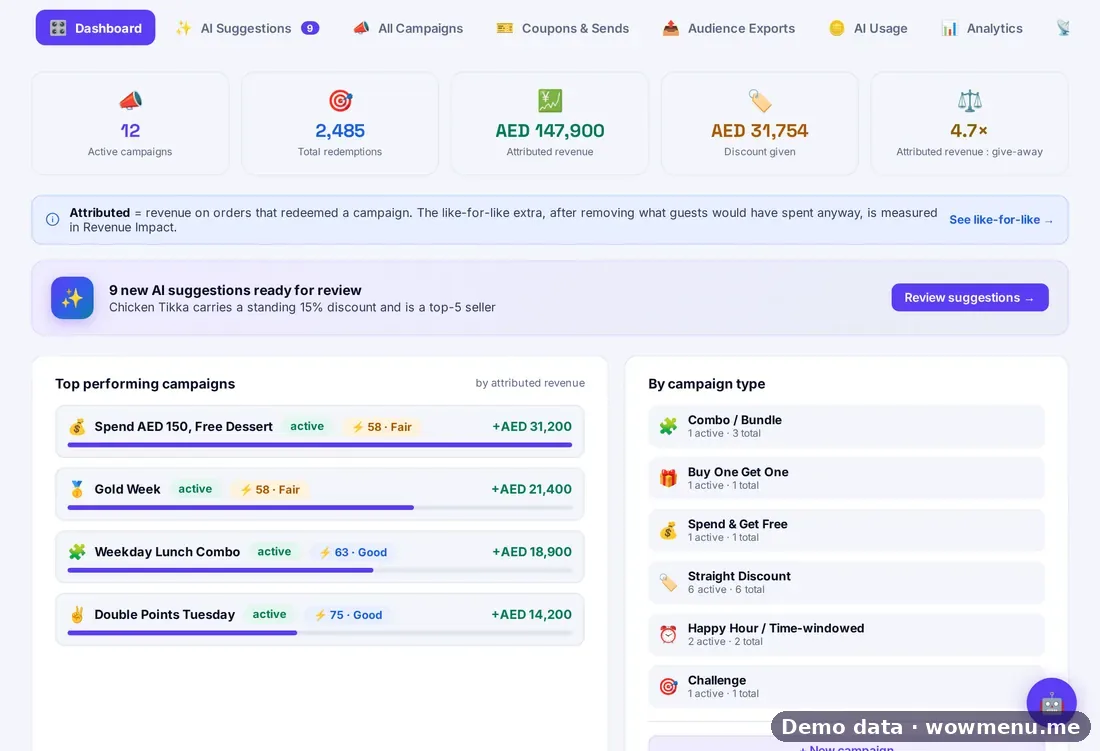
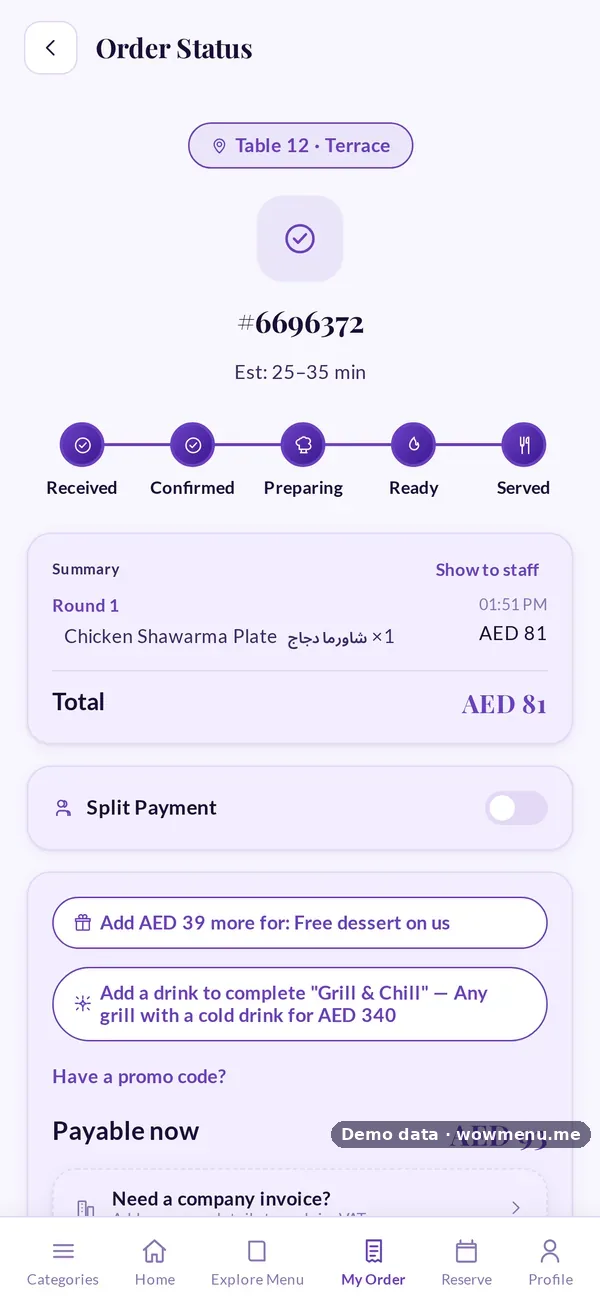
Every campaign is scored, and codes feed the same numbers
Each campaign carries a 0 to 100 efficiency score, redemptions and attributed revenue. Codes a guest enters at payment count toward those redemptions.

Key benefits
What Campaigns & Promotions Engine does for your restaurant
Eight campaign types, one place
Combo or bundle, buy-one-get-one, spend-and-get-free, straight discount, happy hour, loyalty points, birthday and anniversary, and challenges, all created and managed in Campaigns.
Data-driven suggestions with evidence
WowMenu proposes ideas from your orders and guests, such as a slow-moving high-margin dish, a weekday running below its own average, or a named VIP who is overdue. You approve, adjust or dismiss each one.
Controls that keep you in charge
An optional approval step, conflict detection when two exclusive offers cover the same dish, a 0 to 100 efficiency score per campaign, and a simulator to model a campaign before you launch it.
Coupons built in
Generate codes in batches, track every code, revoke in bulk and export to CSV. Offers can apply automatically when the basket qualifies, or need a code.
How it works
Start from a template or a suggestion
Pick one of eight templates, such as a Ramadan iftar combo, a weekend brunch bundle or a first-visit welcome, or review suggestions that carry their evidence and confidence level.
Choose the type and who sees it
Select from the eight campaign types and target by guest segment, channel and party size, for example guests who visited twice in 30 days or have not visited in 21 days.
Simulate, then approve
Model the campaign in the simulator, then send it through the optional approval step (draft, pending approval, approved). Conflict detection flags overlapping exclusive offers.
Launch and measure
Each campaign gets a 0 to 100 efficiency score built from repeat redemption, redemption rate, revenue against discount given, and margin impact.
Frequently asked
What are the eight campaign types?
Combo or bundle, buy-one-get-one, spend-and-get-free (spend above a threshold and receive a free item), straight discount, happy hour (an offer inside a recurring time window), loyalty points, birthday and anniversary, and challenges.
How do the suggestions work?
WowMenu reads your orders and guests and proposes next steps. Each suggestion shows the data points and sample size behind it and a confidence level. They are data-driven estimates to support your decision, not guarantees, and nothing happens until you approve it.
Can I ignore a suggestion and build my own campaign?
Yes. Suggestions are a starting point. You can accept, adjust or dismiss them, or create any of the eight campaign types from scratch or from a template.
What does the efficiency score measure?
A 0 to 100 score per campaign that combines repeat redemption, redemption rate, revenue against discount given, and margin impact, so you can see which promotions earned their keep.
What happens when two offers overlap?
When two exclusive offers cover the same dish, conflict detection applies the one worth more in real money, not the one with the bigger percentage.
Can I use my guest list for ads on Meta, TikTok, Snapchat or Google?
You can export an audience file and upload it to those platforms yourself. This is a file export, not a live integration with them.
How are promotions counted on my plan?
Growth includes 30 promotions a month and Suite includes 100. A promotion is counted when it goes live, never when suggestions are generated. Extra live promotions are AED 18 each, and spending is capped by default with alerts at 50%, 80% and 100%.