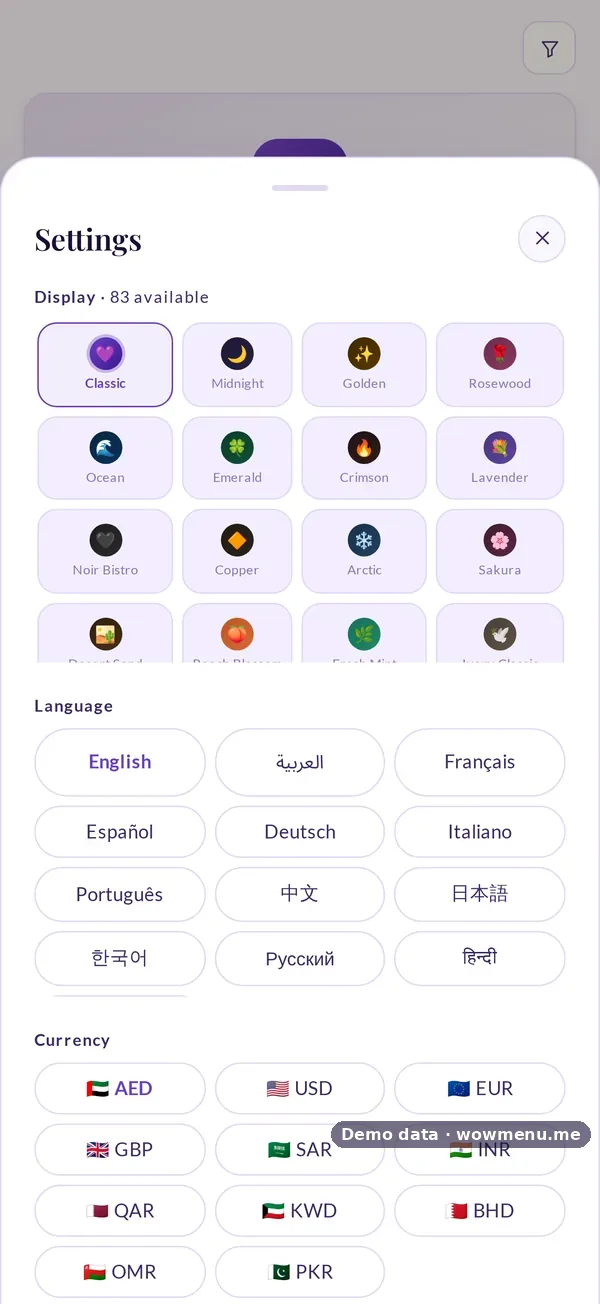
Guests crossing borders should see prices they understand. On the guest menu, a guest can switch the displayed currency in a tap, along with their language, and WowMenu remembers their choice.
Display currency and invoice currency are two different settings. The currency a guest browses in does not have to match the currency you invoice in, which is configured separately. Your WowMenu subscription itself can be billed in AED, USD, GBP or EUR.
Ask us which display currencies are available for your market. Display prices are for the guest's convenience, and your invoice currency is set in billing.
How it connects
What the owner sets up or sees in the portal, and what the guest sees in the QR menu. Screens are from the demo restaurant, Maison Lumière, with demo data.
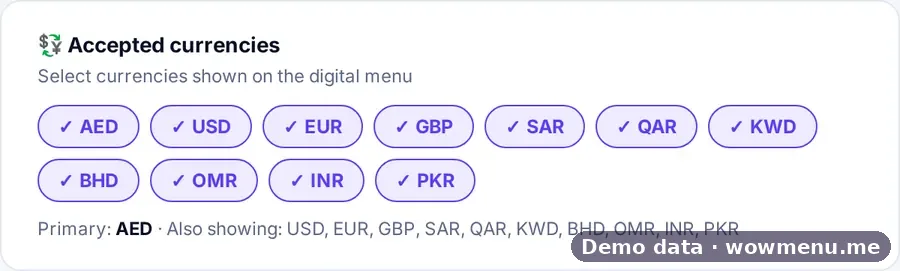
Currencies the owner accepts are the prices the guest can switch to
The owner chooses the display currencies for the digital menu. The guest switches in the Settings sheet, with their choice remembered.
Key benefits
What Multi-Currency Menu Display does for your restaurant
Switch currency in a tap
Guests choose the currency they want to see prices in, alongside their language.
Invoice currency is separate
The currency you invoice in is configured separately from what guests see.
Built for travellers
Useful wherever guests come from abroad, in the Gulf and across Europe.
How it works
The guest opens the menu
Prices appear in your default currency.
They switch currency
One tap changes the displayed prices, and the choice is remembered.
You invoice in yours
Billing and invoices use the invoice currency you configured.
Frequently asked
Can guests see prices in their own currency?
Yes. A guest can switch the displayed currency in a tap.
Is the invoice in the same currency?
Not necessarily. The currency you invoice in is configured separately from the currency guests browse in.
Which currencies can my subscription be billed in?
AED, USD, GBP or EUR.