Guests with dietary needs often order the safe option instead of the one they would enjoy. WowMenu gives them three ways to find the right dish: filters across the whole menu, tags on every dish, and preferences saved to their profile.
You set dietary tags on each dish in the Owner Portal (Vegetarian, Vegan, Gluten-Free, Spicy and Halal), with spice level and allergens. Guests filter the menu in one tap, and MenuGPT takes requests such as vegetarian or under a budget.
Dietary tags and filters are included from the Menu plan.
Three ways a guest finds food that suits them
Filter the whole menu, check the tags on each dish, or let a signed-in profile remember. MenuGPT takes requests like 'vegetarian' too. Screens from the demo restaurant.
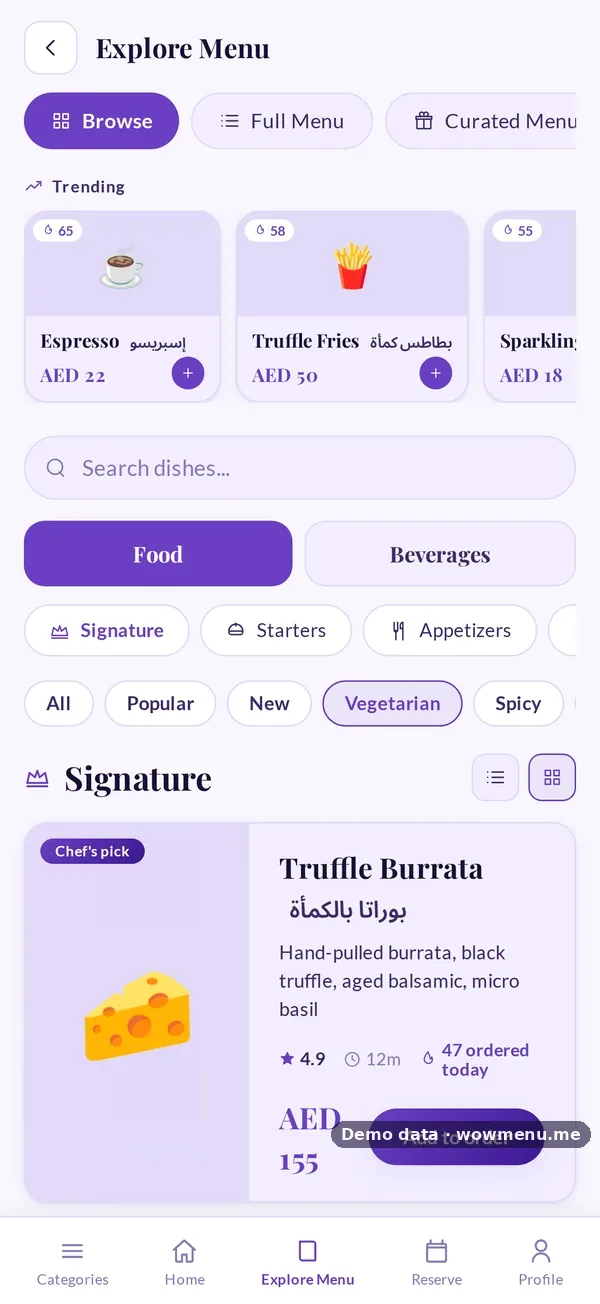
Filters such as Vegetarian, Spicy, Popular and New narrow the menu in one tap.

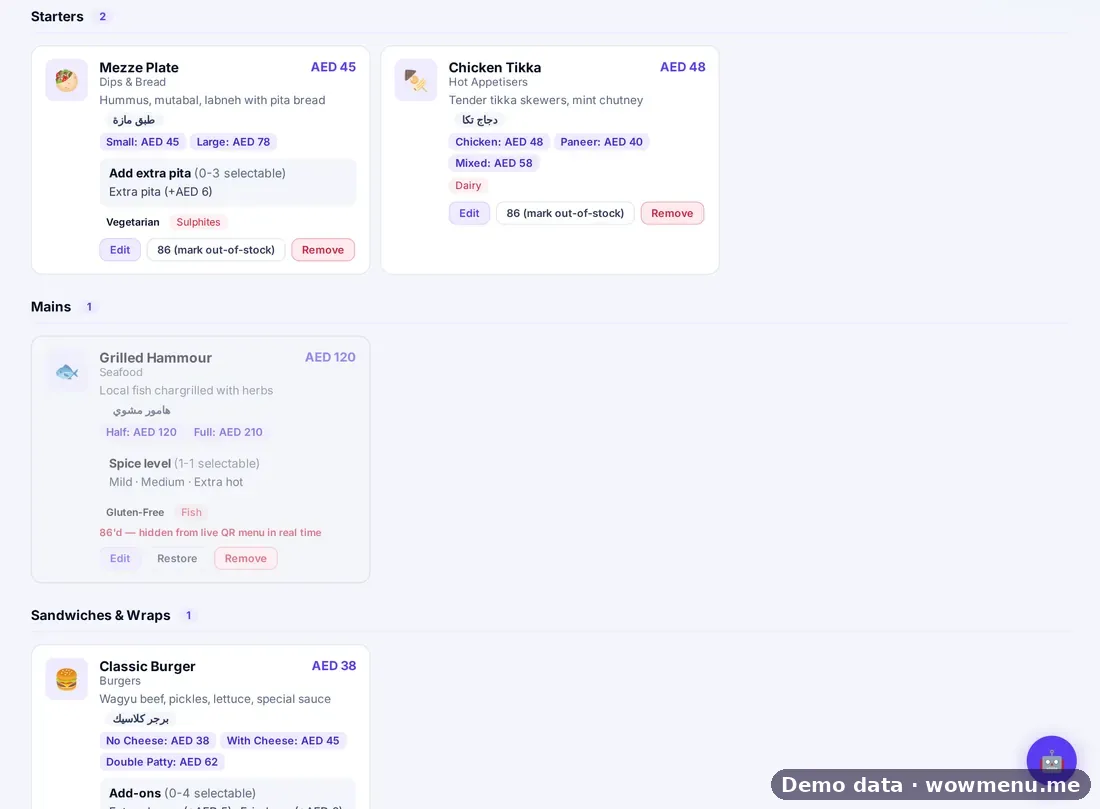
Dietary tags, spice level and allergens sit on the dish itself.
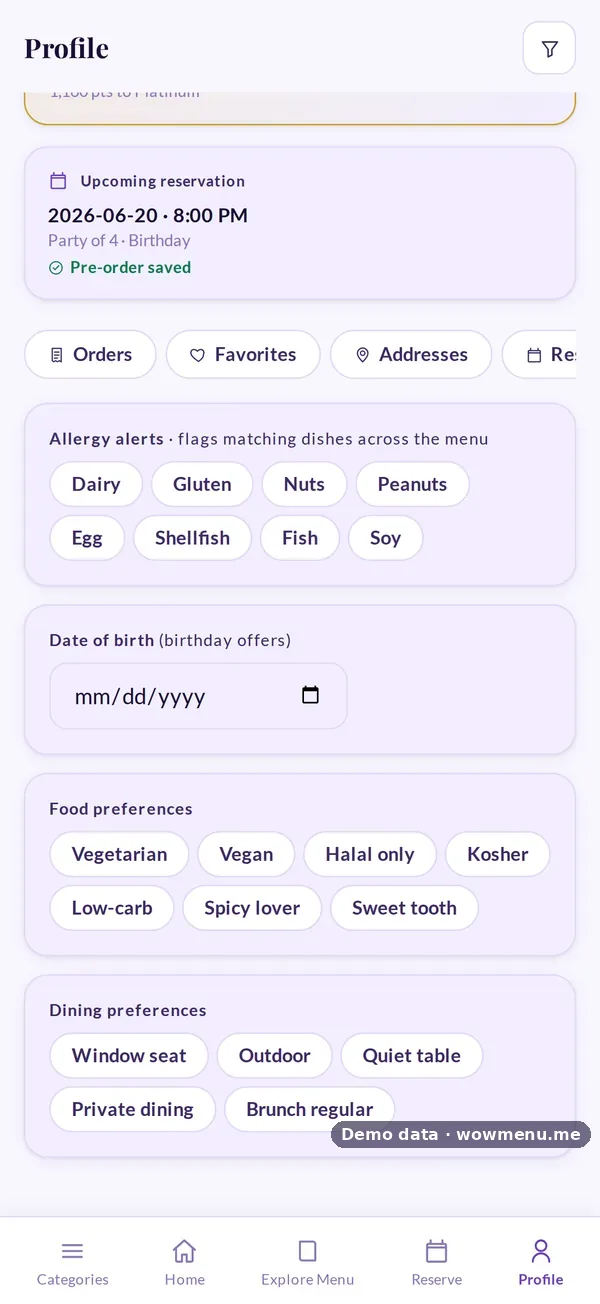
Vegetarian, Vegan, Halal only, Kosher, Low-carb, Spicy lover or Sweet tooth, saved to the guest's profile.

A Vegetarian quick pick, or a request in the guest's own words.
Tags you set on the dish are what guests filter by
Dietary tags (Vegetarian, Vegan, Gluten-Free, Spicy, Halal) and allergens are set per dish in the Owner Portal.
Key benefits
What Dietary Filters & Preferences does for your restaurant
Filters across the menu
Vegetarian, Spicy, Popular and New narrow the menu in one tap.
Tags on every dish
Dietary tags, spice level and allergens on the dish itself.
Saved preferences
Vegetarian, Vegan, Halal only, Kosher, Low-carb, Spicy lover or Sweet tooth, remembered for signed-in guests.
How it works
Tag your dishes
Set dietary tags, spice level and allergens per dish in the Owner Portal.
Guests filter
Filters narrow the menu, and tags show on each dish.
Preferences are remembered
Signed-in guests save their food and dining preferences.
MenuGPT helps
A Vegetarian quick pick, or a request in the guest's own words.
Frequently asked
Which dietary tags can I use?
Vegetarian, Vegan, Gluten-Free, Spicy and Halal, plus spice level and allergens.
Can guests save their preferences?
Yes. Signed-in guests can save preferences such as Vegan, Halal only, Kosher or Low-carb.
Does MenuGPT understand dietary requests?
Yes. Guests can tap the Vegetarian quick pick or type a request.
Is dietary information guaranteed?
It depends on the tags you enter, so staff should confirm with guests who have strict requirements.